Spells are programs
Every command is an Effect program in a .ts file in your grimoire. Lists, details, searches, actions, toasts: describe the view, and the bar draws it natively.
 cantrip
A command bar for macOS
Cantrip opens your apps and runs your commands, and every command is a spell: a few lines of TypeScript, running on Bun, that you can write yourself.
curl -fsSL https://cantrip.just-be.dev/install.sh | shEvery command is an Effect program in a .ts file in your grimoire. Lists, details, searches, actions, toasts: describe the view, and the bar draws it natively.
Edit a spell and it's live the moment you save. Nothing to install: Cantrip links cantrip and effect into your grimoire and writes the tsconfig for you.
Spells that stay running put a ring, a title and a menu in the menu bar. Their finalizers always run, and they hand state over across reloads.
Give a spell an effect/cli Command and it's on your PATH, running inside Cantrip with the daemon's live state. Ctrl-C interrupts; exit codes come back.
Rust, drawn on the GPU with Rune, with real AppKit menus and status items. Apps and spells in one fuzzy search, ⌘K for every action.
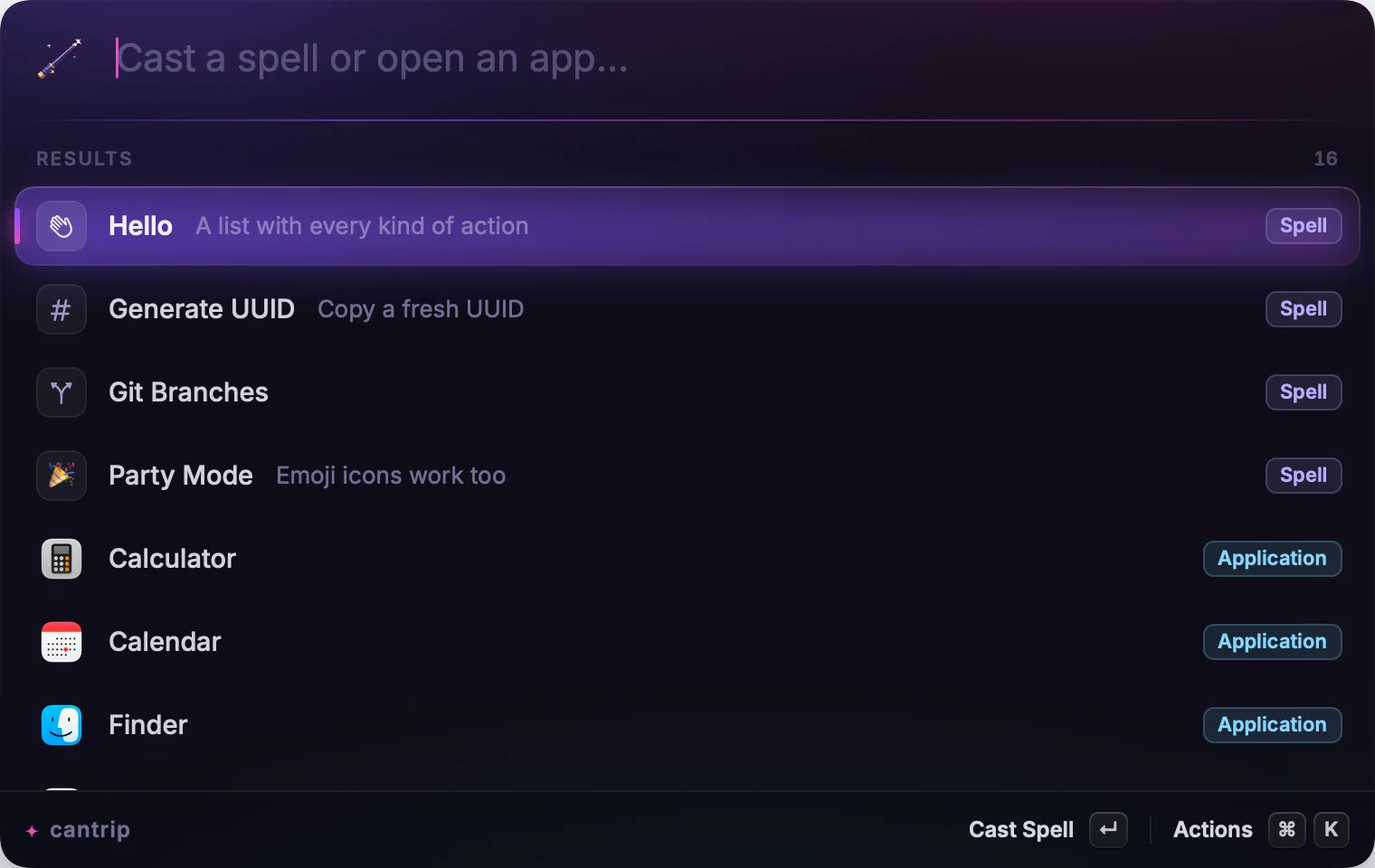
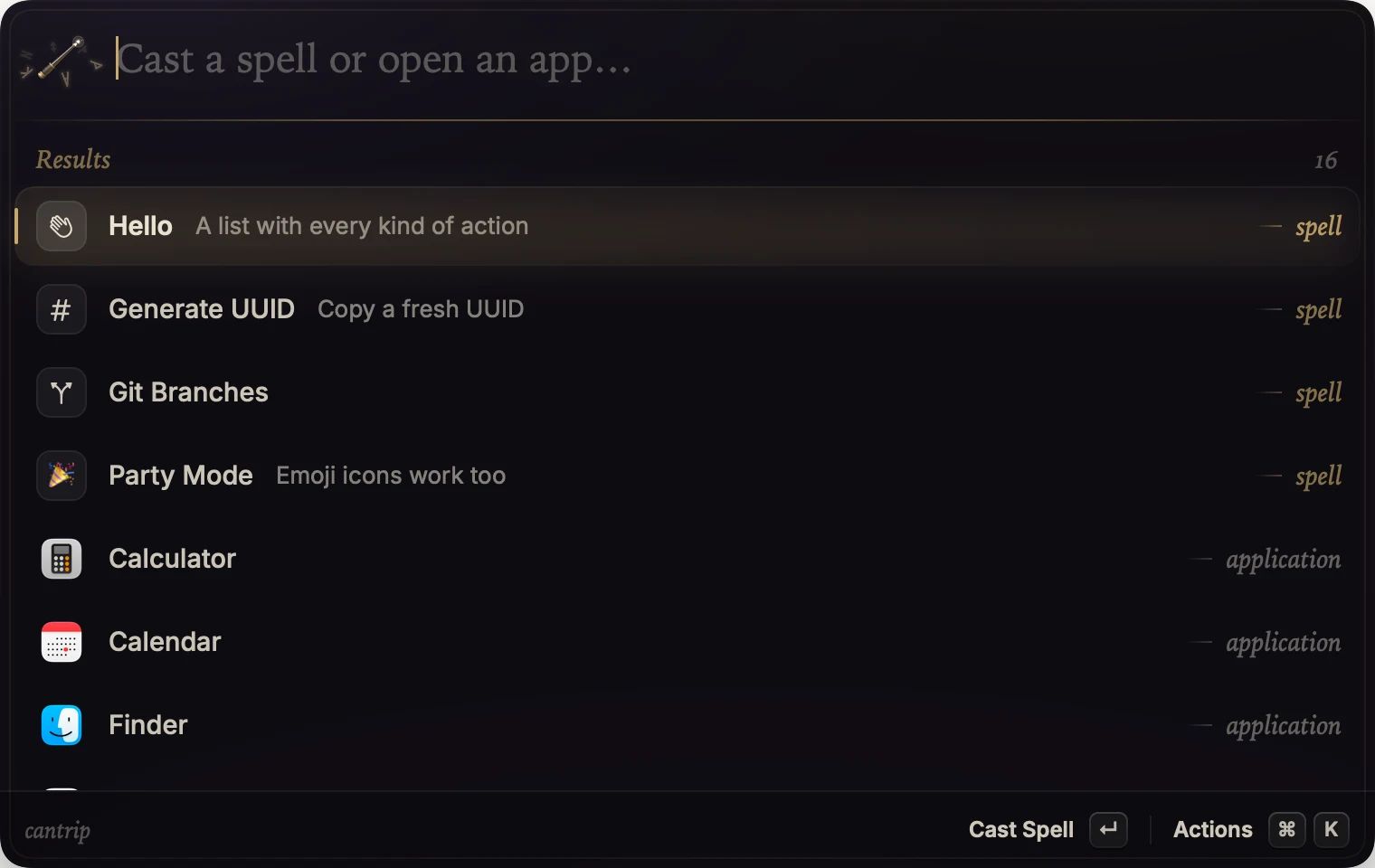
Arcane's violet glass and stardust, or Sigil's ink and tarnished gold. The wand casts the bar open and sends a spark to every letter you type.
Writing a spell
Your spells live in ~/.config/cantrip/grimoire/. Every exportedSpell.make(…) becomes a command in the bar. Each view gets its own scope, so fibers, resources and child processes are cleaned up when you close it.
Ui.list, Ui.detail, Ui.searchList — views are dataAction.copy, open, run, pushimport * as Effect from "effect/Effect"
import { Spell, Ui } from "cantrip"
// No view: the bar hides at once, the spell runs, and a HUD flashes.
export const uuid = Spell.make({
title: "Generate UUID",
icon: "number", // SF Symbol, emoji, or a file path
mode: "no-view",
run: Effect.gen(function*() {
const id = crypto.randomUUID()
yield* Ui.copy(id)
yield* Ui.hud(`Copied ${id}`)
})
})Daemons
A daemon puts an item in the menu bar and keeps going while the bar is closed. Two real ones ship in the grimoire: claude-usage, what's left of your plan limits as a ring, and insomnia, which keeps the Mac awake with the lid closed.
export const battery = Daemon.summon({
  title: "Battery",
  icon: "battery.100",
  run: Effect.gen(function*() {
    while (true) {
      const level = yield* readBattery
      yield* MenuBar.render({
        icon: MenuBar.ring(level),
        title: `${Math.round(level * 100)}%`,
      })
      yield* Effect.sleep("1 minute")
    }
  })
})
Themes
Change Theme previews each one as you scroll. ↵ keeps it.
Install
One line installs Cantrip to /Applications and opens it. Run it again to update; daemons hand their state over.
curl -fsSL https://cantrip.just-be.dev/install.sh | shCantrip isn't notarized yet, so macOS quarantines a browser download. Unzip it, moveCantrip.app to Applications, then either right-click it and chooseOpen, or run:
xattr -dr com.apple.quarantine /Applications/Cantrip.appEvery release is listed at /latest.json with its SHA-256.